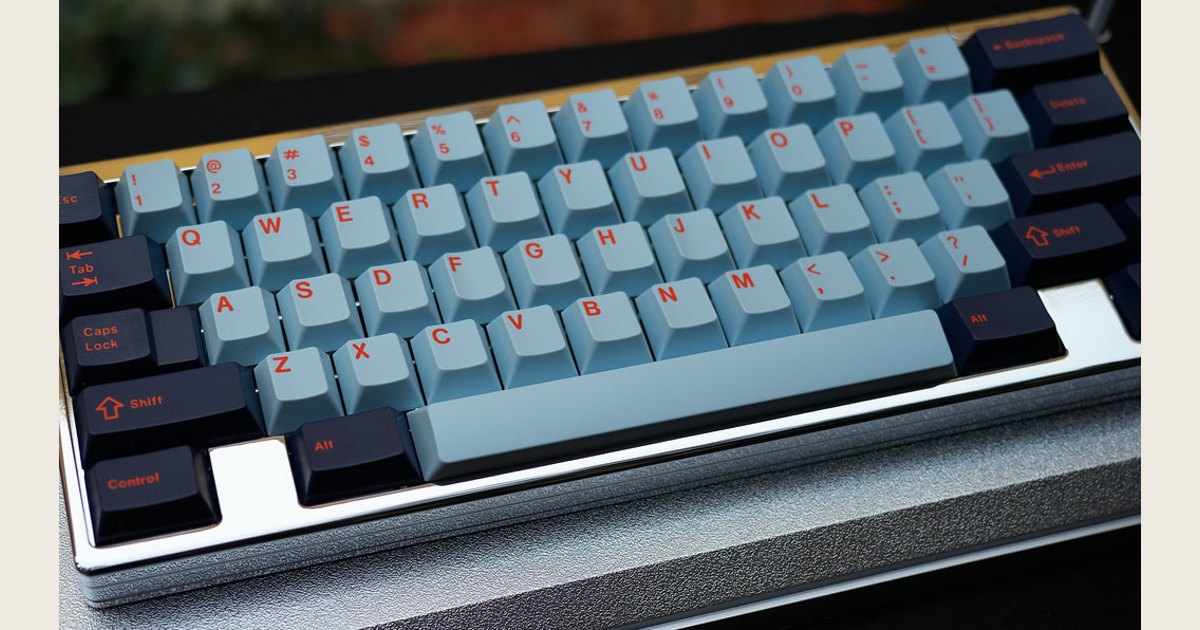
Quick answer: Mechanical keyboards can be better when you want a more deliberate key feel and a choice of switch behavior. A membrane keyboard can be the better buy when you want a straightforward, lower-cost keyboard or need to keep the decision simple. Choose mechanical for feel and switch choice—not because it automatically makes every task faster or more comfortable.
Featured image credit: Photo: 2018 Bay Area Mechanical Keyboard Meetup by Nebulant, https://www.flickr.com/photos/47581723@N00/31006251357; https://creativecommons.org/licenses/by/2.0/. Resized and padded. Illustrative stock photo; no product testing is implied.
The core tradeoff is simple: mechanical models offer distinct switch options and a more intentional feel. Membrane models usually prioritize simplicity and value. Neither type is automatically best.
“Mechanical” describes a switch approach. It does not promise that a keyboard will be quiet, durable, repairable, or comfortable. Compare feel, sound, ownership tradeoffs, and fit for your desk.
Mechanical vs. membrane at a glance
| Question | Mechanical keyboard | Membrane keyboard |
|---|---|---|
| How are keys activated? | Individual spring-operated switches | A flexible membrane beneath the keys |
| Why choose it? | You want to choose a specific feel or sound | You want a simpler, value-focused keyboard |
| Key feel | Can be smooth, tactile, or clicky depending on the switch | Often feels more uniform and cushioned |
| Noise | Varies greatly; clicky options are deliberately audible | Do not assume it will be silent, but it avoids a clicky-switch sound profile |
| Customization | Can range from none to substantial; check the specific model | Usually a more fixed experience |
| Best decision rule | Buy for a feel you have tried or can return | Buy when the standard feel already works for you |
Mechanical switches use springs, while membrane keyboards use a flexible membrane to register key presses, according to Corsair’s explanation of mechanical keyboards. That construction difference creates the foundation for the different feel—not a guaranteed winner in every category.
Why mechanical keyboards often feel better
Mechanical keyboards win on choice of feedback. Individual switches can provide different sensations under your fingers. Corsair notes that mechanical switch parts can vary feel and sound, while membrane keyboards use a flexible layer under the keys.
The real question is whether the response suits you. Some people want a clear sensation during a press; others prefer a smooth motion. A mechanical keyboard does not guarantee better accuracy or game performance, so treat feel—not promised speed—as the primary benefit.
Verdict: Mechanical is the better choice when switch feel matters to you; membrane is perfectly sensible when it does not.
Linear, tactile, and clicky switches: choose the feel before the label
There is no universal switch winner. Logitech G describes three common mechanical switch experiences: linear switches move smoothly, tactile switches provide a noticeable actuation sensation, and clicky switches combine tactile feedback with an audible click. Those descriptions are more useful than broad claims about one switch being “best.”
Linear: smooth movement
A linear switch has a smooth press with no intentionally pronounced bump. Logitech positions its linear options for rapid successive keystrokes and double-tapping. It may appeal if you prefer a consistent motion, but it may not suit someone who wants a distinct signal that a key has registered.
Tactile: a small confirmation during the press
A tactile switch gives a noticeable sensation around actuation. Logitech describes this as subtle feedback for its tactile GL switch and as feedback through actuation for its GX Brown switch. For many people, that makes a press feel more defined without committing to an audible click. The amount of tactility differs by model, so “tactile” alone is not enough information to predict whether you will like it.
Clicky: feedback you can hear
Clicky switches add an audible click to tactile feedback. They can be fun and unmistakable at a home desk. In a shared room or on a call, the same sound can be distracting. Logitech’s own description frames clicky switches as an option for people who specifically enjoy the familiar feel and sound. It is not a default everyone should accept. Logitech G’s switch guide illustrates why switch names are starting points for preference, not universal quality rankings.

Switch choice affects the experience of each key press, but a keyboard’s layout, case, and feature set still affect whether it fits your desk.
Photo: Mechanical keyboard by phithanhviet, https://www.flickr.com/photos/99146016@N07/52309916271; https://creativecommons.org/licenses/by/2.0/. Resized and padded. Illustrative stock photo; no product testing is implied.
Verdict: Pick linear for uninterrupted movement, tactile for a physical cue, and clicky only when its sound works for your space.
Where membrane keyboards can be the better choice
Membrane wins when simplicity and value matter more than switch selection. Corsair says membrane keyboards are cheaper to produce than mechanical keyboards. That does not mean every membrane model costs less at retail, but it helps explain their place in basic bundled keyboards.
Choose membrane if you like its softer, uniform response or do not want to compare switches, layouts, software, and connection modes. It can be the sensible choice for a secondary computer or temporary workstation. If you cannot try switches before buying, a basic keyboard with a clear return policy may be a lower-regret purchase than choosing a mechanical board by switch name alone.
Verdict: Choose membrane when the standard key feel already suits you and low-complexity ownership is the priority.
Do mechanical keyboards last longer?
Durability is a model-by-model question, not a mechanical guarantee. Switch construction or a rated switch life says little about every other part of a keyboard. Cables, batteries, stabilizers, keycaps, software, and overall build can affect ownership just as much.
Corsair describes mechanical switch design as modular. That does not mean every board accepts replacement switches or is easy to repair. If serviceability matters, check for documented hot-swappable sockets, replaceable components, warranty terms, and available parts. A high switch-life number applies only to the named switch under stated conditions. It does not describe the entire keyboard.
Verdict: Use durability specifications as one check on a specific model, not as proof that all mechanical keyboards outlast all membrane keyboards.
Noise and comfort: separate preference from promises
Neither category automatically wins on noise or ergonomics. Clicky mechanical switches are designed to be audible, but Corsair notes that mechanical keyboards are not all loud. The specific switch and model matter more than the category label.
For a shared office, study area, or video-call setup, do not treat clicky as the default. Picture a desk beside a partner’s calls or a roommate’s study session: a sound you enjoy can still interrupt someone nearby. A tactile or linear option may be a better starting point. Use sound recordings only as a rough guide, and check the return policy.
A mechanical keyboard is not a cure for discomfort. The Canadian Centre for Occupational Health and Safety recommends placing the keyboard directly in front of you with relaxed shoulders, elbows close to your body, and straight wrists aligned with your forearms. Consider the board’s height, layout, and position as part of the full workstation. Seek appropriate professional advice for persistent or significant symptoms. (CCOHS keyboard setup guidance)
Verdict: Pick for the sound level and physical setup you can actually live with; neither keyboard type makes ergonomic claims unnecessary.
A practical way to choose a keyboard
Use this short process:
- Name the setting. A private desk, shared room, laptop setup, or console changes the noise and space requirements.
- Choose a feel. Try switches when possible. Otherwise start with smooth linear movement, a tactile cue, or an audible click, and understand the return policy.
- Check the layout. Confirm the size, key arrangement, operating-system compatibility, and whether you need a number pad or dedicated media keys.
- Verify model features. Connection type, software support, hot-swappability, backlighting, included cables, and warranty coverage vary by keyboard.
- Stop when it fits. A model that feels good, fits your space, and has the needed features is enough.
If a new keyboard feels wrong or does not work
Start with the simple issue before blaming the switch type. Confirm the cable or wireless receiver connection, try another port or device if available, and follow pairing instructions. If keys produce unexpected characters, check the operating system’s keyboard layout and language settings.
If the board is too loud or unfamiliar, identify the actual problem: a clicky sound profile may call for a non-clicky option, while an awkward layout may call for a different size. For an unresponsive key or board, use the manufacturer’s support and warranty process.
Who should choose which?
Choose mechanical if you want a defined typing feel. A tactile switch may appeal if you want feedback during a press; a linear switch may appeal if you prefer smooth motion. The advantage is choice, so use it.
Choose membrane if you want an uncomplicated, value-focused keyboard. If the softer, uniform feel is already comfortable and you do not need to compare switch options, there is no reason to upgrade for the label alone.
Choose carefully for a shared workspace. Put sound ahead of enthusiasm for a clicky switch. Your preferred keyboard should not become everyone else’s distraction.
Choose neither by category alone if comfort is the real issue. Focus on the full workstation—keyboard position, desk space, layout, and your habits—rather than expecting a switch mechanism to solve discomfort.
The bottom line
Mechanical keyboards are better for people who value selectable key feel, feedback, and the ability to choose between linear, tactile, and clicky behavior. Membrane keyboards remain better for people who prefer a straightforward, often lower-cost keyboard and do not need that degree of choice. Try before buying when you can, read the specifications for the exact model, and let your desk, noise tolerance, and preferred feel decide.